

Semantic HTML is the backbone of accessibility in WordPress themes.
Before ARIA roles, before plugins, before audits, accessibility starts with clean and predictable markup.
Before ARIA roles, before plugins, before audits, accessibility starts with clean and predictable markup.
Unfortunately, many WordPress themes — especially commercial ones — treat HTML as a styling tool rather than a semantic language. There are various reasons why this happens:
Despite these advantages, this approach may lead to issues such as reduced semantic meaning in code, potential accessibility problems, and challenges in maintaining and scaling styles across large projects.
The result is a site that looks fine but breaks for screen readers, keyboard users, and search engines.
Let’s focus on the structural elements that matter most.
The result is a site that looks fine but breaks for screen readers, keyboard users, and search engines.
Let’s focus on the structural elements that matter most.
Semantic HTML in WordPress Themes: How to Fix Structure and Headings
Table of Contents
One <h1> Per Page: When and Where
The Golden Rule of Semantic HTML: a page should have one logical
<h1>, representing the main topic of the page.Best practice
- The <h1> usually corresponds to:
- the post title in single.php
- the page title in page.php
- It should appear inside the main content, not in decorative areas
Common mistakes
A simple rule:
If removing CSS breaks the meaning of your headings, the structure is wrong.
Using <main> Correctly in WordPress Templates
The
Screen readers rely on it to jump directly to what matters.
<main> element defines the primary content of the page.Screen readers rely on it to jump directly to what matters.
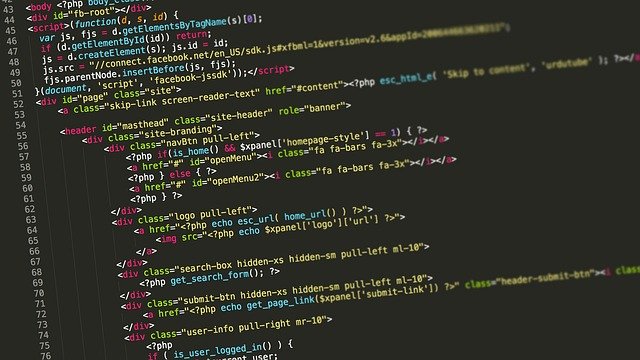
Where <main> belongs
How to interpret Typical placementthe score
What to avoid
Using
<main> correctly also makes “Skip to content” links work as intended.Common Structural Errors in Commercial Themes which fail to use semantic HTML
Many premium themes break semantic structure in predictable ways:
These issues are often invisible until you:
Fixing them usually requires template edits, not plugins.
ARIA Roles: When to Use Them (and When Not To)
ARIA is often added as a band-aid for poor HTML.
That’s the wrong approach.
That’s the wrong approach.
Use ARIA when:
Avoid ARIA when:
Rule of thumb:
No ARIA is better than wrong ARIA.
No ARIA is better than wrong ARIA.
Why This Matters Beyond Accessibility
Correct semantic structure:
In WordPress, theme structure is accessibility.
Get that right, and everything else becomes easier.
Get that right, and everything else becomes easier.
🔗 This article is part of a broader guide on the most critical accessibility areas in WordPress: 6 Expert Techniques to Enhance Accessibility in WordPress
Leave a Reply