
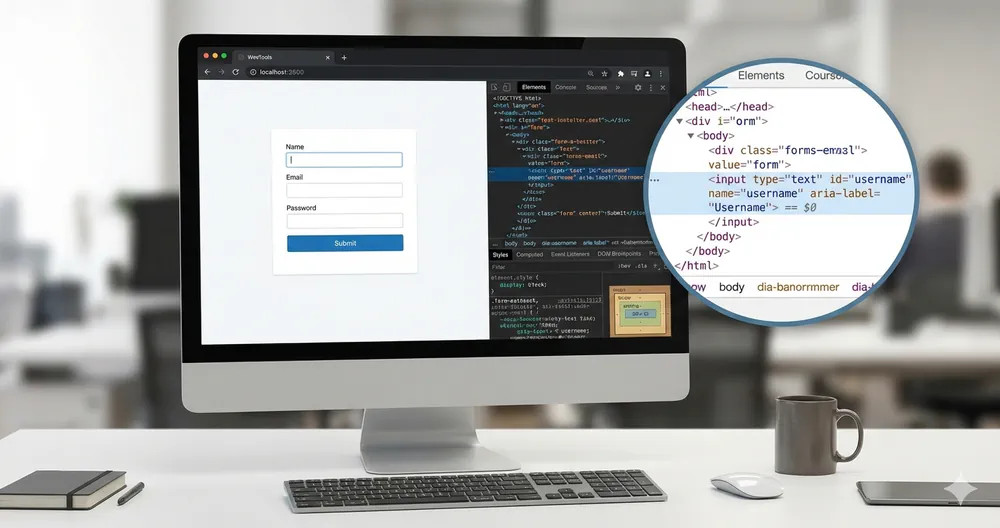
ARIA is one of the most misunderstood topics in web accessibility — especially in WordPress.
Many developers see ARIA roles and attributes as a universal fix for accessibility issues.
In reality, ARIA is a last resort, not a shortcut.
Before using it, it’s essential to understand what ARIA is, what it does, and when not to use it.
Many developers see ARIA roles and attributes as a universal fix for accessibility issues.
In reality, ARIA is a last resort, not a shortcut.
Before using it, it’s essential to understand what ARIA is, what it does, and when not to use it.
ARIA in WordPress: When to Use It (and When to Avoid It)
Table of Contents
What Is ARIA (In Simple Terms)
ARIA stands for Accessible Rich Internet Applications.
It’s a specification that allows developers to add semantic meaning to elements when native HTML is not enough — mainly for assistive technologies like screen readers.
ARIA does not change visual behavior.
ARIA does not add keyboard support.
ARIA does not fix broken markup.
ARIA only describes behavior — it does not create it.
It’s a specification that allows developers to add semantic meaning to elements when native HTML is not enough — mainly for assistive technologies like screen readers.
ARIA does not change visual behavior.
ARIA does not add keyboard support.
ARIA does not fix broken markup.
ARIA only describes behavior — it does not create it.
ARIA Is Not a Universal Solution
One of the most common accessibility mistakes is using ARIA to patch problems that should be solved with HTML.
Examples of things ARIA cannot fix:
Examples of things ARIA cannot fix:
If a native HTML element exists for a job, use it.
<button>Save</button>is always better than:
<div role="button">Save</div>When ARIA Makes Sense in WordPress
ARIA is useful when you build custom components that cannot rely on native HTML alone.
Typical WordPress examples:
Typical WordPress examples:
In these cases, ARIA helps screen readers understand:
Common attributes include:
But only if the component already works correctly with keyboard and focus.
The “No ARIA Is Better Than Bad ARIA” Rule
Incorrect ARIA is worse than no ARIA at all.
Common ARIA mistakes in WordPress themes and plugins:
Common ARIA mistakes in WordPress themes and plugins:
If ARIA lies about state or behavior, assistive technologies trust the lie.
This can completely break the experience for screen reader users.
This can completely break the experience for screen reader users.
Language Attributes and Screen Readers
Accessibility is not only about ARIA roles.
One of the most important — and often forgotten — attributes is:
One of the most important — and often forgotten — attributes is:
<html lang="en">The
A wrong language declaration can make an otherwise accessible site unusable for screen reader users.
Without it:
lang attribute must reflect the actual language of the page, not a default like English.A wrong language declaration can make an otherwise accessible site unusable for screen reader users.
Without it:
In WordPress, this should always match the site language.
Motion, Animations, and prefers-reduced-motion
These should respect the user’s system preferences:
@media (prefers-reduced-motion: reduce) {
  * {
    animation: none;
    transition: none;
  }
}
ARIA cannot solve motion-related issues — CSS can.
Common ARIA Errors to Avoid
Before adding ARIA, check that you are not:
If ARIA feels complicated, that’s often a sign it’s not needed.
Final Thought
ARIA is powerful — but dangerous when misunderstood.
Use it only when:
Use it only when:
Accessibility starts with HTML.
ARIA comes last.
ARIA comes last.
🔗 This article is part of a broader guide on the most critical accessibility areas in WordPress: 6 Expert Techniques to Enhance Accessibility in WordPress
Leave a Reply